









Quick Answer
If Windows firewall blocks Remote Mouse, keep Remote Helper running, set your trusted network profile to Private, allow Remote Helper through Windows Defender Firewall for private networks, and confirm the iPhone or iPad and Windows PC are on the same local network.
Last updated: September 12, 2026.
Symptoms and Fixes
| Symptom | What to Check |
|---|---|
| Windows PC does not appear | Remote Helper running, same network, private network profile |
| PC appears but connection fails | Windows Defender Firewall allowed apps list |
| Connection works on hotspot but not Wi-Fi | Router isolation, guest network, or firewall profile |
| Keyboard or mouse commands fail | Helper version, firewall rule, and Windows permissions |
Step-by-Step Fix
- Install the latest Remote Helper from rs.ltd/get.
- Open Remote Helper on the Windows PC.
- Connect the iPhone or iPad and Windows PC to the same trusted network.
- In Windows Settings, make sure the network profile is Private for your trusted network.
- Open Windows Security > Firewall and network protection > Allow an app through firewall.
- Allow Remote Helper on private networks.
- Restart Remote Helper and reconnect from Remote Mouse & Keyboard.
Works With / Does Not Work With
Try QR or Manual Address Entry
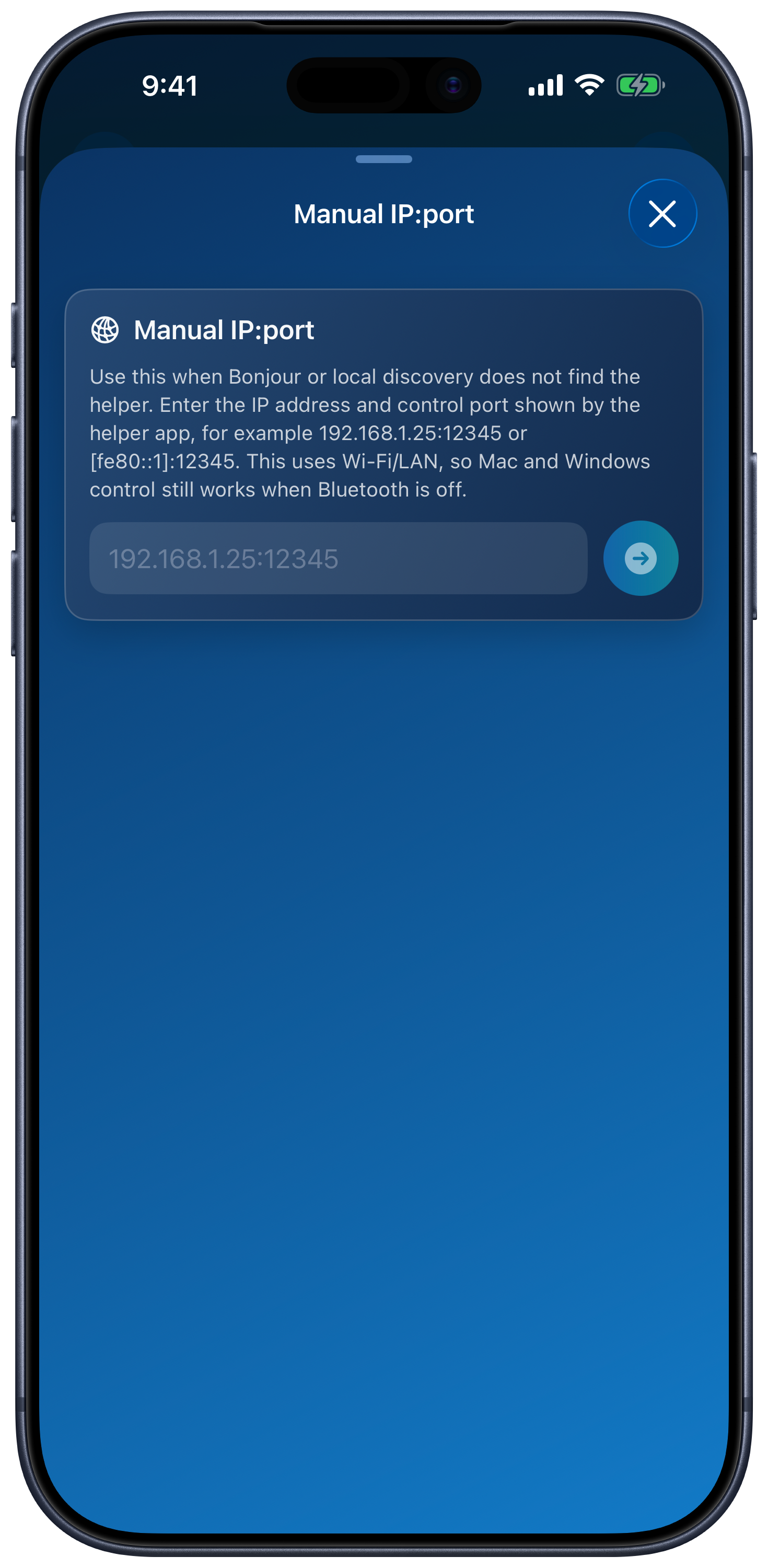
In Add Device → Windows PC, use Scan QR Code or Enter IP:port manually with the address and control port shown by Remote Helper. These use the same local network connection, so the firewall must still allow the helper. Bluetooth Discovery is not required for Windows control.
Connection Requirements
| Works With | Does Not Work With |
|---|---|
| Windows PC with Remote Helper installed and allowed through firewall | Firewall rules that block Remote Helper |
| Trusted private home or office networks | Public, guest, hotel, school, or isolated networks |
| iPhone or iPad on the same local network | Devices separated by VPN, client isolation, or different subnets |
Windows Firewall FAQ
Should I turn off Windows firewall?
No. Keep the firewall enabled and allow Remote Helper for the trusted private network instead.
Why does changing Public to Private matter?
Windows applies stricter firewall behavior to public networks. For a trusted home or office network, the Private profile is usually the right profile for local device discovery.
Where is the full Windows setup guide?
Open the Remote Mouse connection guide and Remote Helper download page.